Meet AI Station v0.5.0

LOCAL AI. ONE SIMPLE APP.

Your own AI.
Made simple.

No platform censorship. Your models. Your rules.

A familiar ChatGPT-style experience, on your own computer.
No AI or IT background needed. Chat, images, video, voice, music and agents — together in one app.

Linux & Windows · Cloud optional · Free for noncommercial use

Your workspace, on your machine LOCAL-FIRST
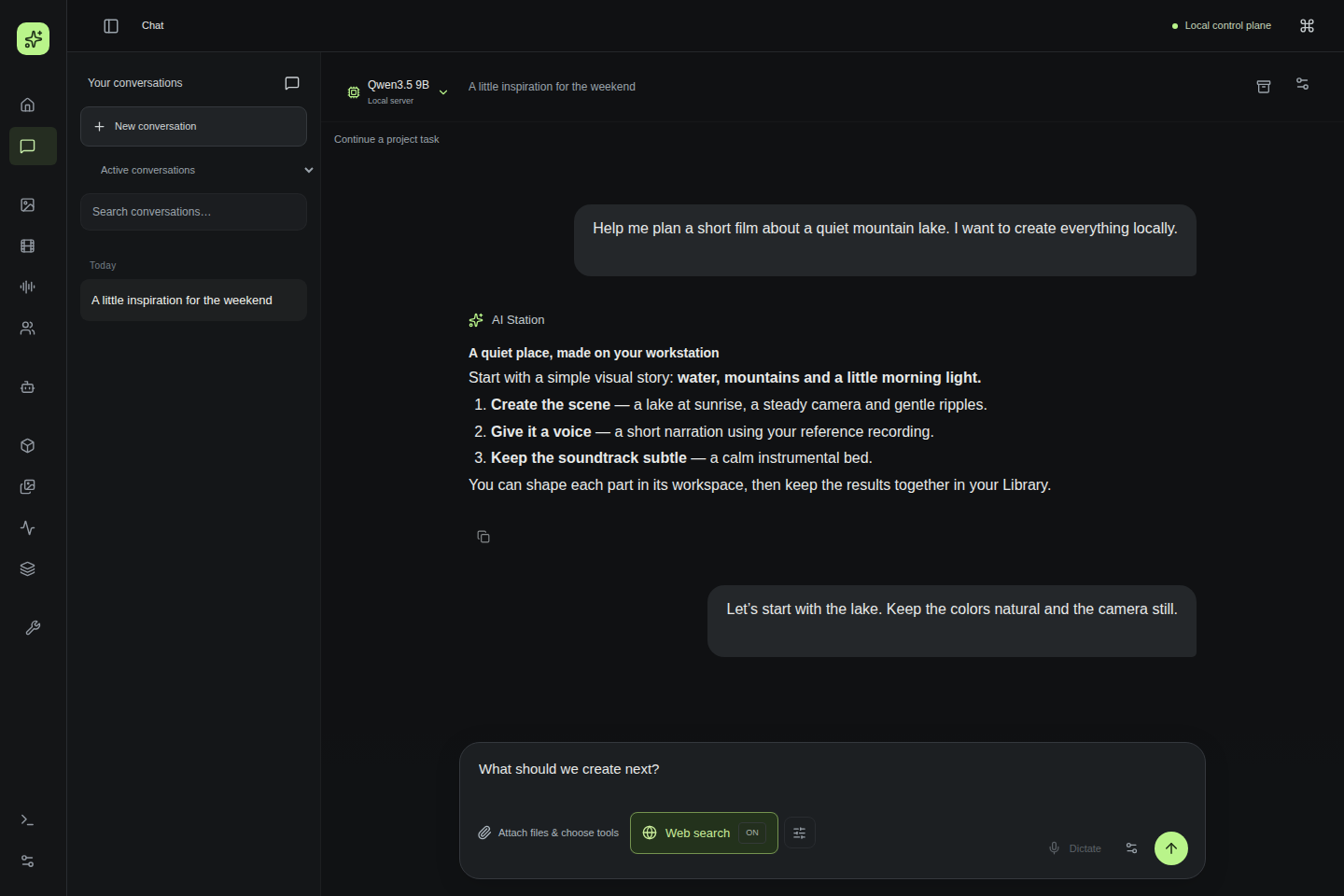
Actual Chat with a completed local Qwen film-planning reply in the demo account

Start with a conversation. Chain tools, reuse results and review recurring agents. Keep your ideas, files and results together.

Actual UI · private demo dataset

Powerful local models. One simple workspace.

llama.cppWanEchoMimicChatterboxACE-Step

CREATED HERE. ON A REAL HOME WORKSTATION.

An idea is all
you need to start.

Real images, edits, films and voices — made locally in AI Station. Open a result, read its prompt and see the actual workspace. Every example comes from a separate demonstration account.

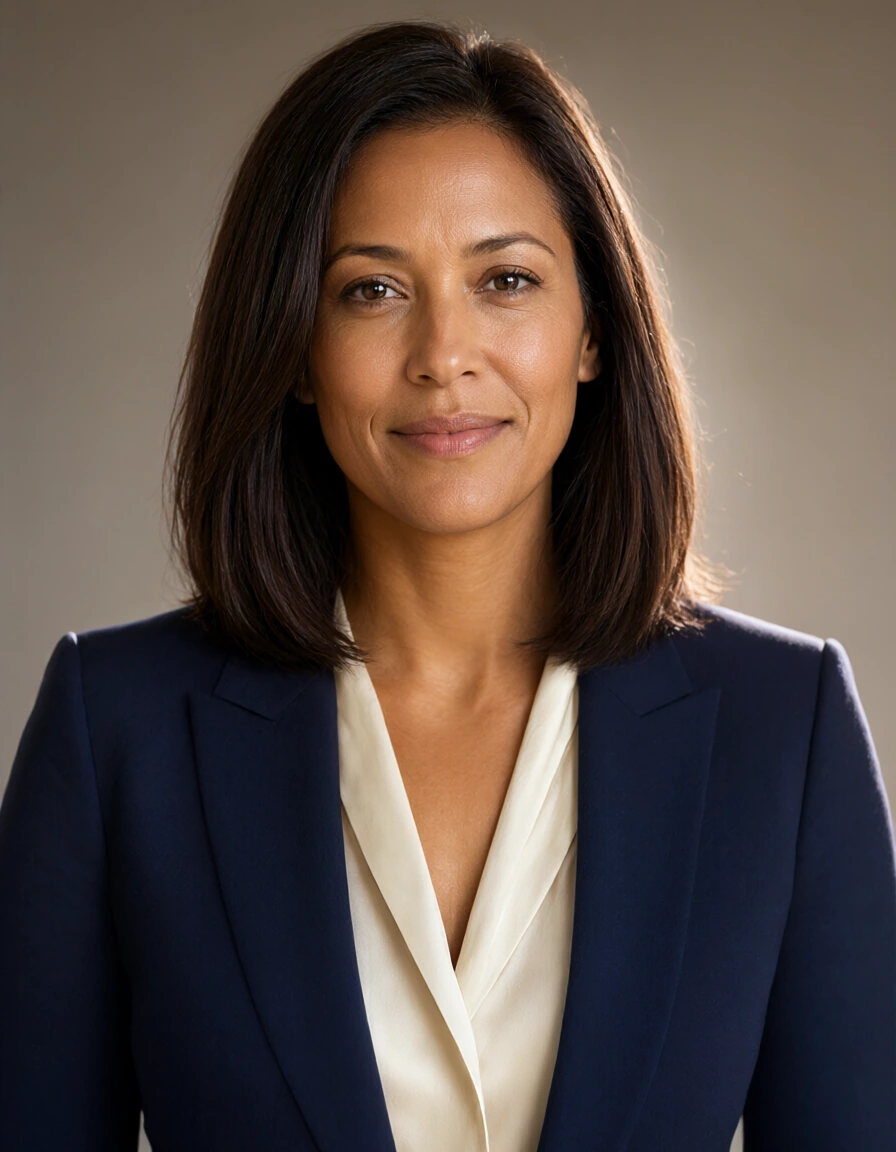
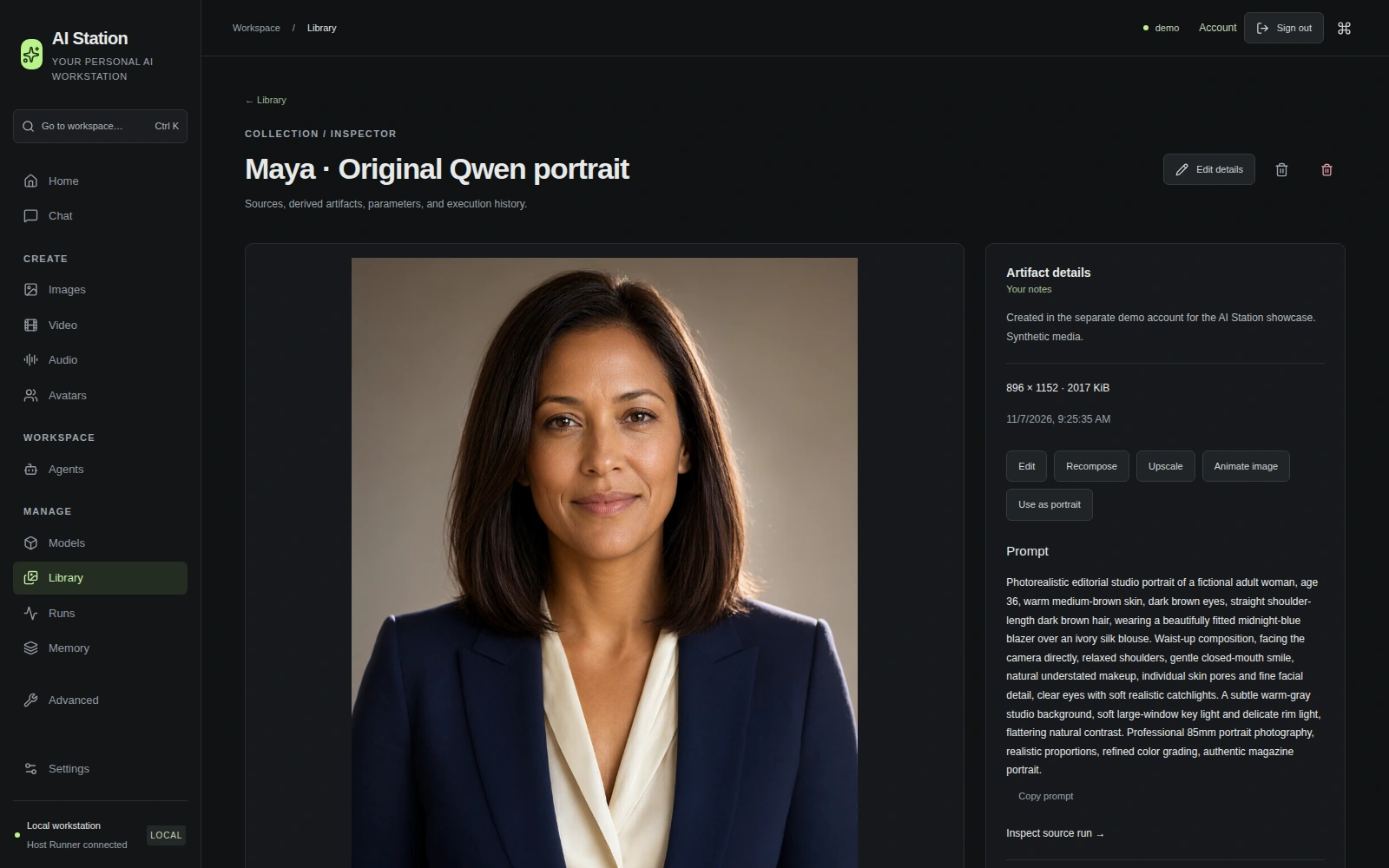
Locally generated portrait of a fictional adult presenter, wearing a navy blazer and ivory blouse, with natural studio lighting 01 / A PERSON WHO NEVER EXISTED

Meet Maya.

A fictional presenter. From a description to a photographic portrait.

Qwen Image896 × 115235 steps
Read the actual prompt

Photorealistic editorial studio portrait of a fictional adult woman, age 36, warm medium-brown skin, dark brown eyes, straight shoulder-length dark brown hair, wearing a beautifully fitted midnight-blue blazer over an ivory silk blouse. Waist-up composition, facing the camera directly, relaxed shoulders, gentle closed-mouth smile, natural understated makeup, individual skin pores and fine facial detail, clear eyes with soft realistic catchlights. A subtle warm-gray studio background, soft large-window key light and delicate rim light, flattering natural contrast. Professional 85mm portrait photography, realistic proportions, refined color grading, authentic magazine portrait.

See this portrait and its prompt in AI Station
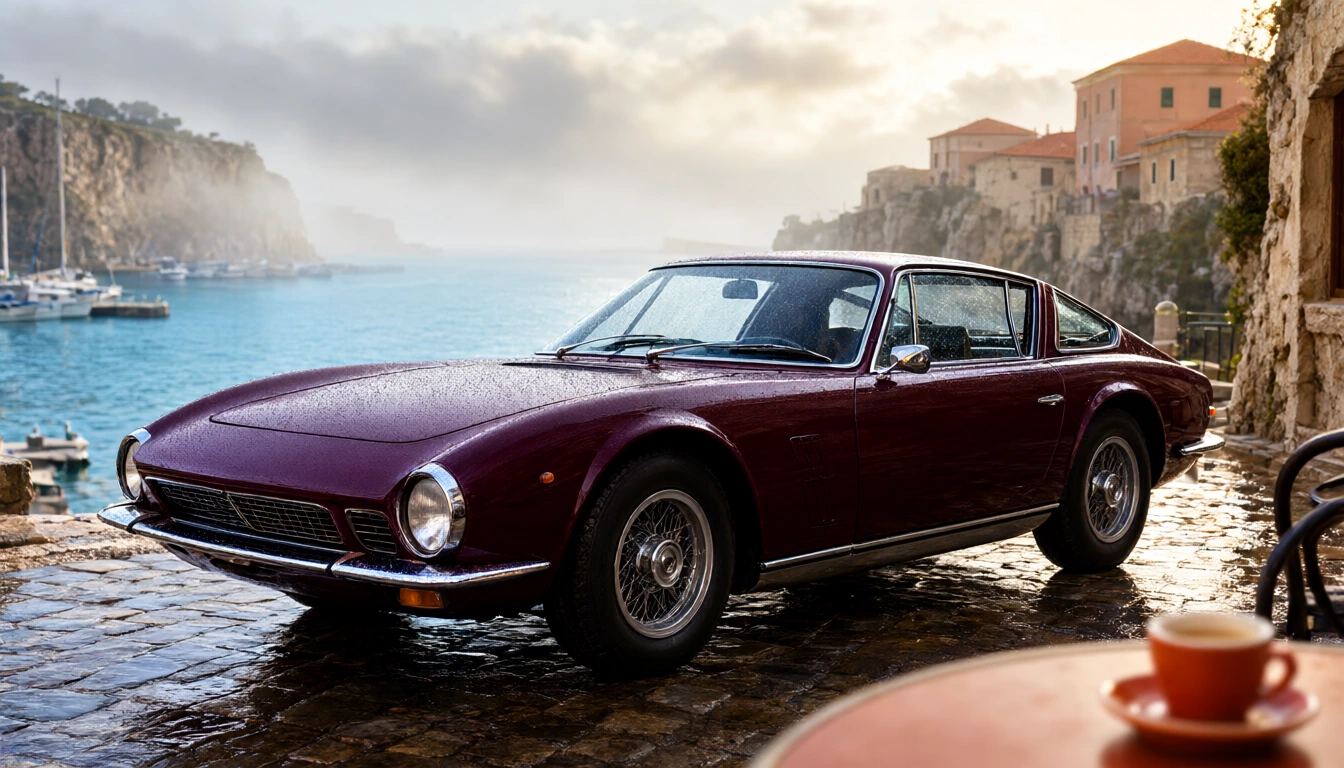
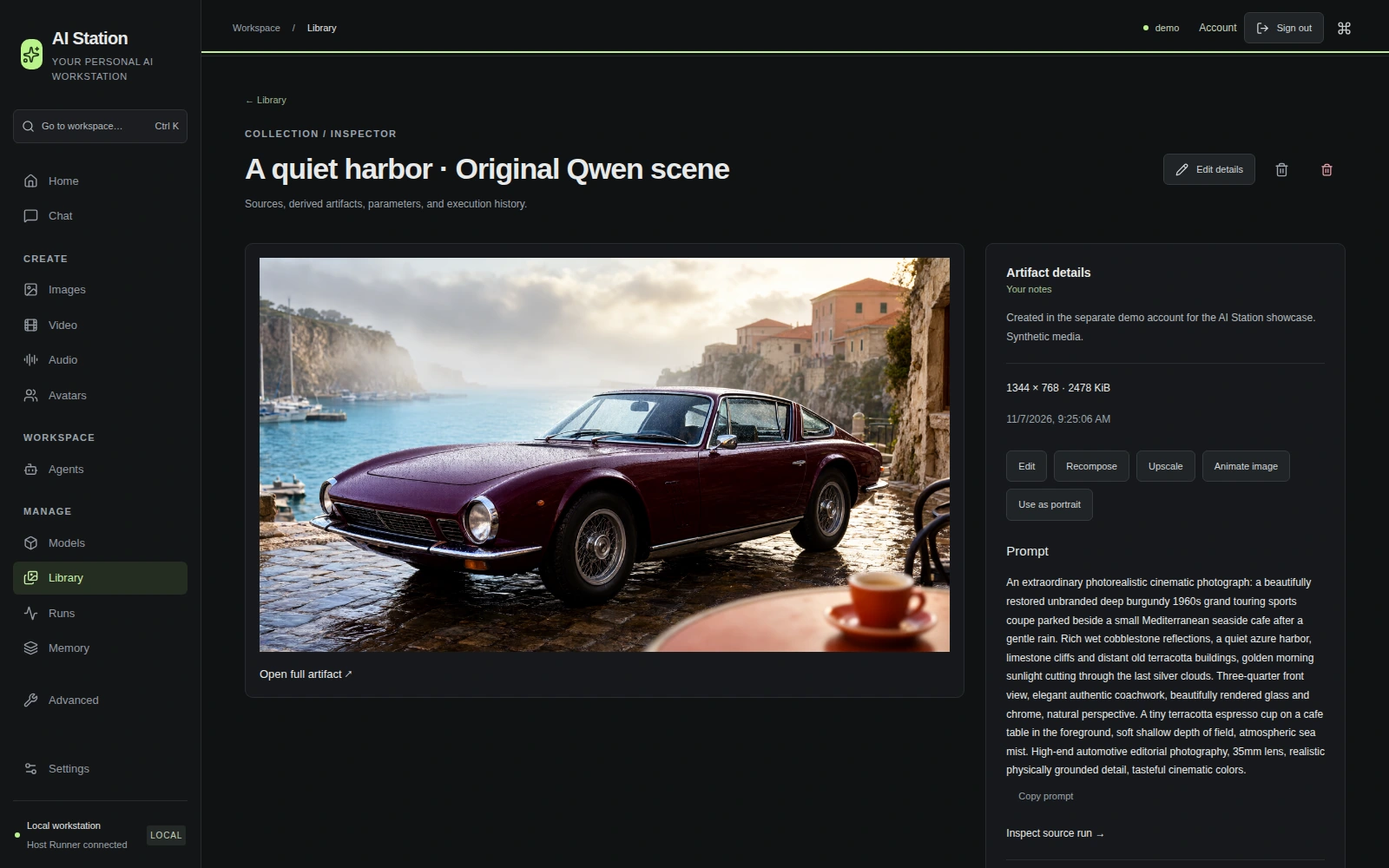
Burgundy classic grand touring car beside a turquoise Mediterranean harbor, photographed with rain-wet cobblestones and warm morning light; generated locally 02 / A SCENE WORTH STEPPING INTO

A little cinematic escape.

Glass, chrome, morning mist and wet stone. Describe the atmosphere; keep the result.

Qwen Image1344 × 76835 steps
Read the actual prompt

An extraordinary photorealistic cinematic photograph: a beautifully restored unbranded deep burgundy 1960s grand touring sports coupe parked beside a small Mediterranean seaside cafe after a gentle rain. Rich wet cobblestone reflections, a quiet azure harbor, limestone cliffs and distant old terracotta buildings, golden morning sunlight cutting through the last silver clouds. Three-quarter front view, elegant authentic coachwork, beautifully rendered glass and chrome, natural perspective. A tiny terracotta espresso cup on a cafe table in the foreground, soft shallow depth of field, atmospheric sea mist. High-end automotive editorial photography, 35mm lens, realistic physically grounded detail, tasteful cinematic colors.

See this scene and its prompt in AI Station
Before editing: fictional presenter wearing a navy-blue blazer
Original · Qwen
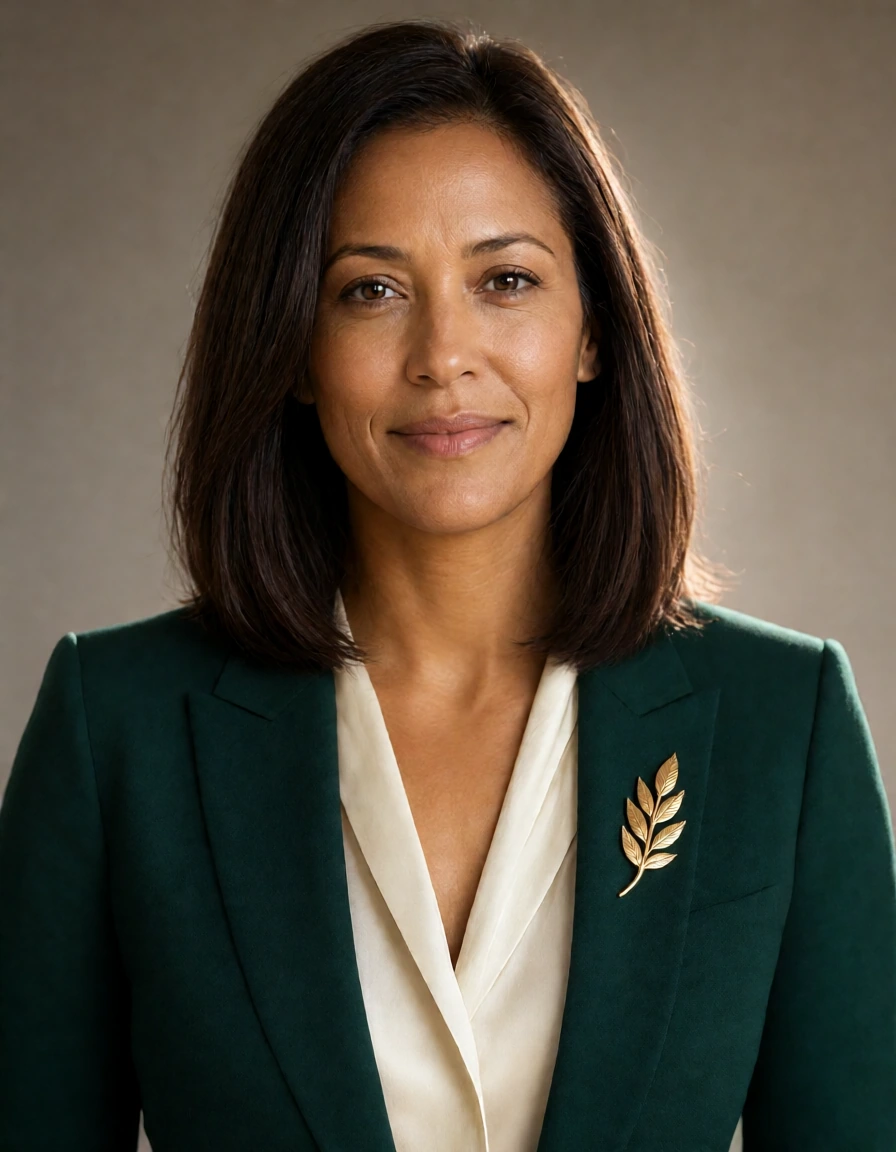
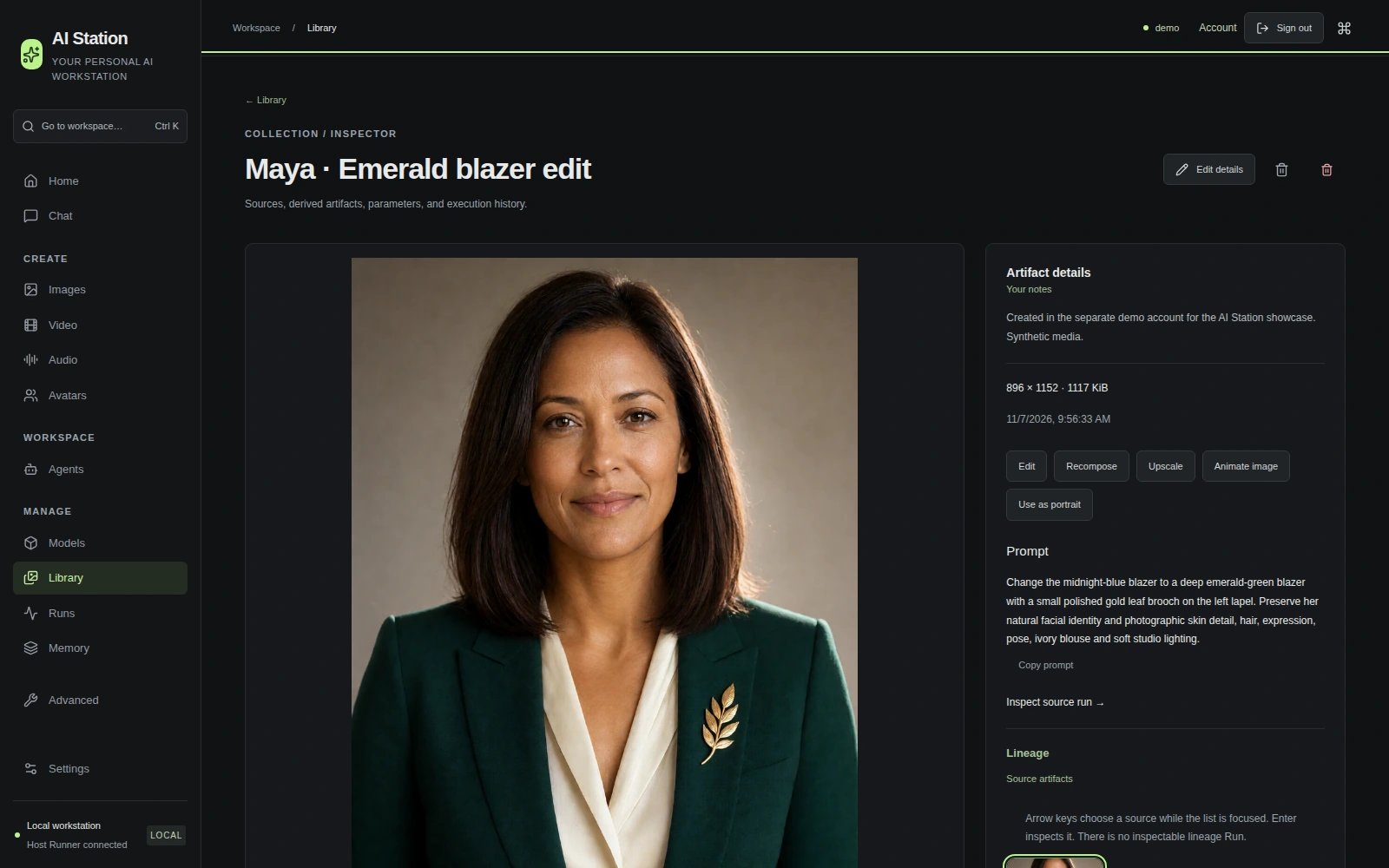
After editing: the same fictional presenter with an emerald blazer and a gold leaf brooch
Edited · LUSTIFY

A NEW DETAIL. THE SAME PERSON.

Change your mind.
Keep your character.

Ask for an emerald blazer and a gold brooch. The image is edited locally, using the original as its reference.

Image editLUSTIFY v10 Turbo8 steps
Read the edit instruction

Change the midnight-blue blazer to a deep emerald-green blazer with a small polished gold leaf brooch on the left lapel. Preserve her natural facial identity and photographic skin detail, hair, expression, pose, ivory blouse and soft studio lighting.

See the edit and its saved instructions in AI Station

PICTURE → MOTION → SOUND

Let a still moment
come to life.

The Qwen image above becomes an eight-second moving shot with Wan 2.2. MMAudio creates a harbor soundscape from the resulting video. Press play with sound.

1280 × 7048 seconds24 fps
Read the motion and sound prompts

Motion: An elegant continuous automotive cinema shot at a Mediterranean harbor at dawn. The camera makes a confident smooth forward dolly with a gentle leftward slide, creating clearly visible parallax across the wet foreground cobblestones and the parked burgundy classic grand touring car. Keep the exact same car body, wheels, headlights and paint physically stable and sharply detailed throughout. The car remains parked. Turquoise water ripples visibly, small reflected highlights sparkle, a thin veil of sea mist moves gently across the harbor. Rich natural dawn light, realistic smooth motion, restrained premium cinematography. No sudden camera changes.

Sound: A peaceful Mediterranean harbor at dawn: quiet gentle water lapping against the stone quay, a soft sea breeze, one distant gull call. Subtle realistic ambience. The parked car is silent.

TEXT → VIDEO → SOUND

A scene, from words.

No reference image. A written description becomes a short coastal portrait with Wan 2.2, then MMAudio creates the sound of the sea and breeze from the finished video. The person and scene are synthetic. Press play with sound.

1280 × 7048 seconds24 fps
Read the video and sound prompts

Video: Photorealistic live-action cinema. A medium close-up portrait of one fictional adult woman, about thirty years old, standing on a quiet Atlantic coastal path at golden hour. She wears a textured charcoal wool coat and a soft cream scarf. Her auburn hair moves naturally in a light sea breeze. She looks out toward the ocean, then gently turns her head a little toward the camera with a relaxed, subtle closed-mouth smile. Clear natural eyes, consistent facial identity and proportions, realistic skin texture and fine hair detail. Soft warm side light, delicate highlights in her eyes, ocean waves softly out of focus behind her. Authentic high-end documentary cinematography, restrained film color, shallow depth of field, an 85mm portrait lens. The camera is stable, with a very gentle cinematic push-in. Continuous single shot, believable natural movement, crisp face, realistic cloth and hair. Fully clothed, tasteful editorial portrait. Maintain the same person and natural facial proportions throughout the continuous take. After a small head turn, hold the relaxed gaze rather than restarting the action. Keep the camera movement restrained and the ocean background coherent.

Sound: A calm coastal ambience matching the video: a light sea breeze brushing nearby grass and a wool scarf, gentle ocean surf in the distance, one quiet distant gull. Subtle realistic location sound. No speech, no music, no crowd.

Native resolution · 192 frames · 3 generated segments · 40 video steps per segment · CFG 5 · Seed 317749. No input photograph: the first segment is generated from text, then later segments use the preceding generated video for continuity. No looping, frame interpolation, upscale or face retouching. MMAudio creates sound from the full finished film, then AI Station combines them. The three video Runs took 45 min 37 s in total; the sound Run took 77 s on the showcase workstation, including model setup and excluding queue. Composition/mixing are recorded separately in the provenance.

YOUR IDEA. A CONNECTED WORKFLOW.

One request.
More than one tool.

The request, shortened

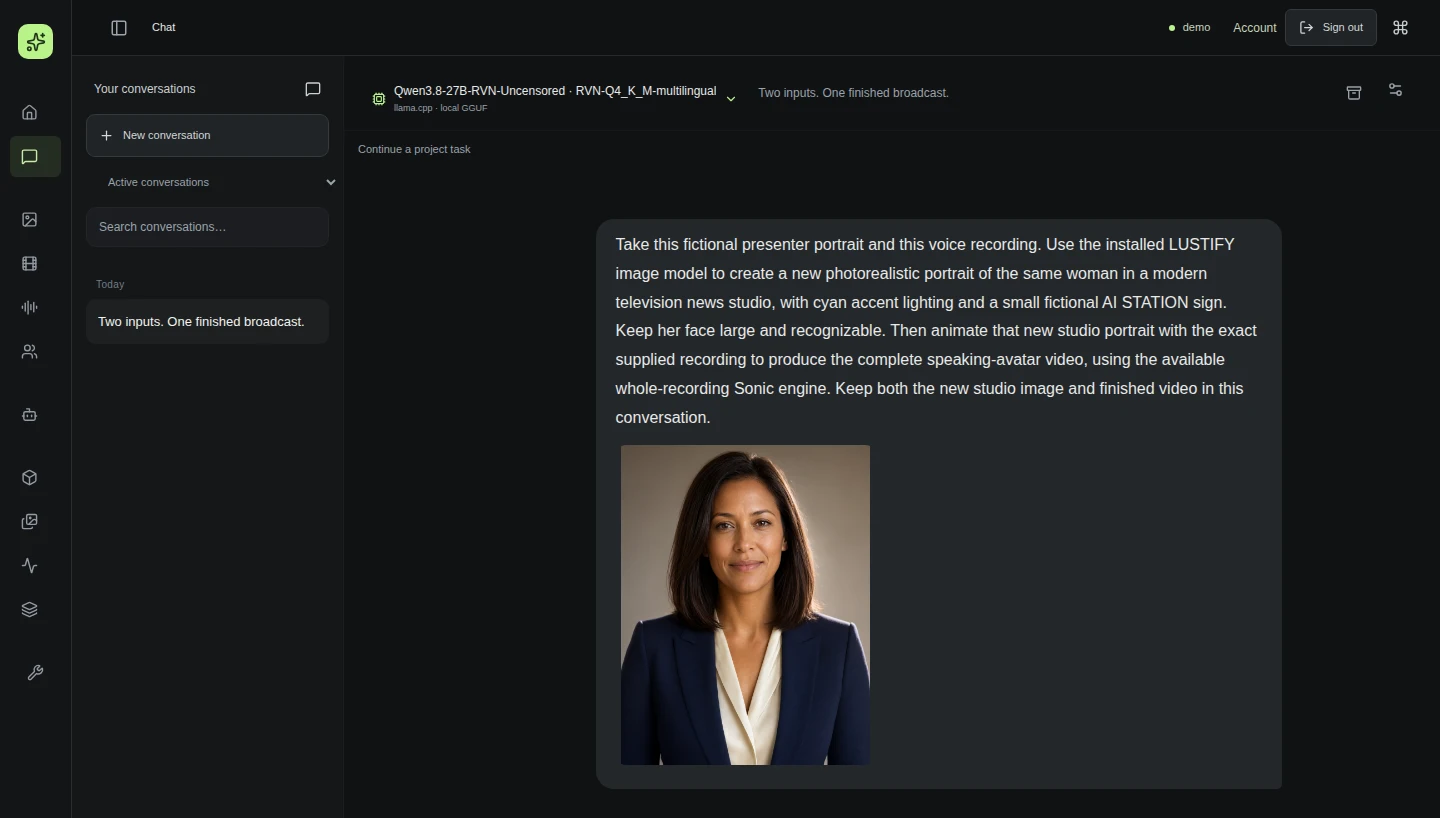
“Take this portrait and voice recording. Put the presenter in a television studio, then make a talking-avatar video.”

The assistant chooses an available tool, observes its result, and passes that result to the next step. Your inputs, progress and finished creations stay together in the conversation.

Original fictional presenter portrait supplied to the orchestrator
Supplied portrait
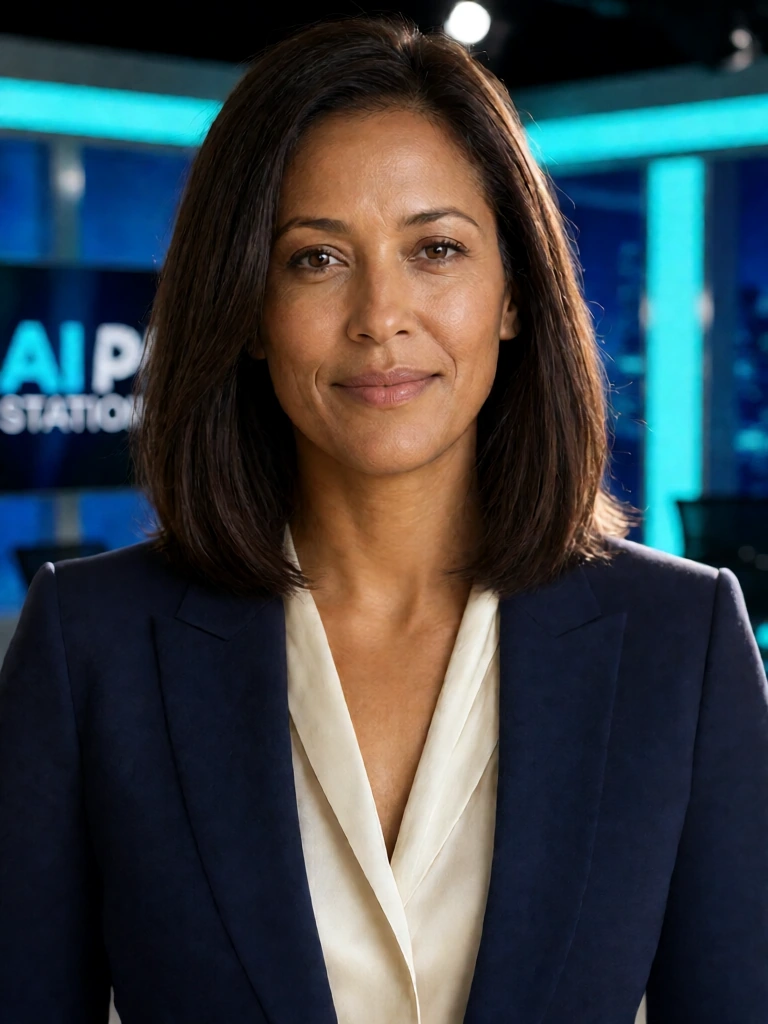
Actual first tool result: the same fictional presenter in a cyan-lit television studio
Generated studio image
  1. 01
    Start with two inputs

    A fictional portrait and an existing voice recording are attached to one request.

  2. 02
    Set the scene

    The assistant uses the image tool to create the studio portrait, then observes the actual result.

  3. 03
    Make that result speak

    The avatar tool receives the new portrait and the same supplied recording. Two tools, one conversation.

Read the full submitted prompt

Take this fictional presenter portrait and this voice recording. Use the installed LUSTIFY image model to create a new photorealistic portrait of the same woman in a modern television news studio, with cyan accent lighting and a small fictional AI STATION sign. Keep her face large and recognizable. Then animate that new studio portrait with the exact supplied recording to produce the complete speaking-avatar video, using the available whole-recording Sonic engine. Keep both the new studio image and finished video in this conversation.

See the submitted request in AI Station See the actual video in the conversation

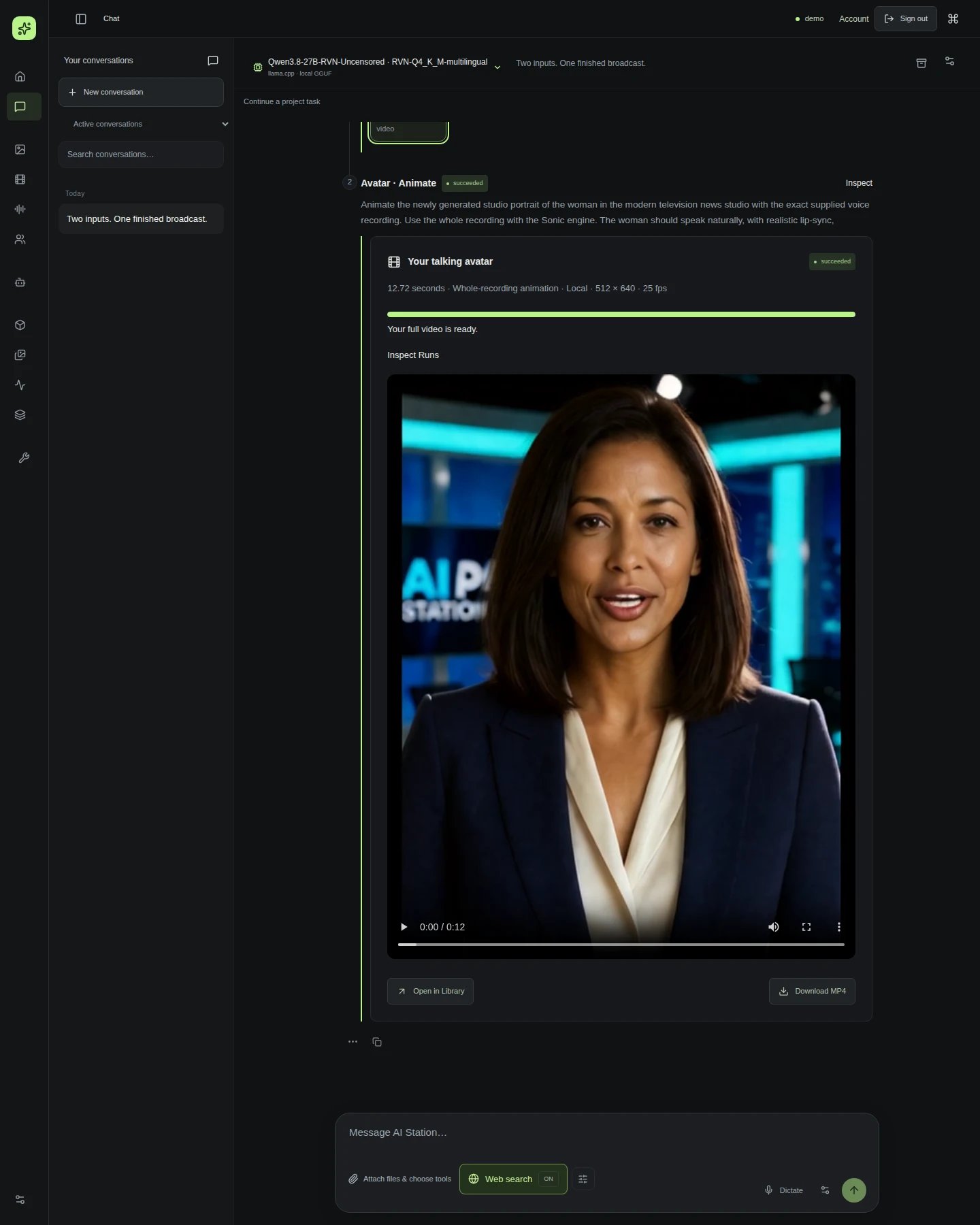
THE ACTUAL RESULT

Meet your presenter.

The studio image and supplied recording become a complete speaking avatar. Created locally with Sonic; this is a fictional person and synthetic speech.

AI Station 0.4 adds even voice volume for new speech and avatars. Existing recordings can get a balanced copy, without regenerating the voice or video and without changing the original.

Sonic12.76 seconds512 × 640 native25 fps

Native output, shown without upscaling or face retouching. English captions available.

HEAR LOCAL GENERATION

A voice, from words.

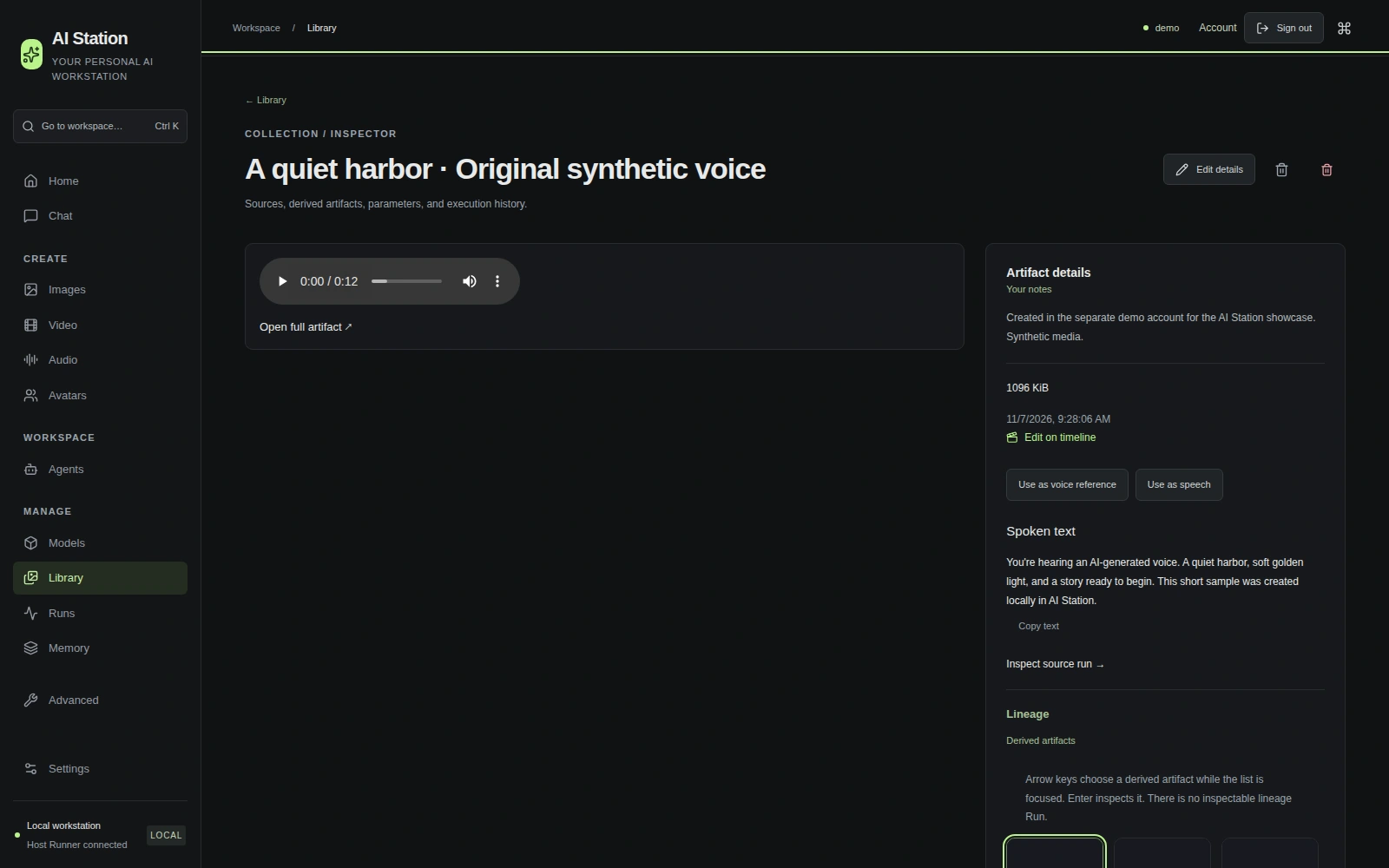
This is the recording supplied to the avatar request above. An original English voice generated locally — not an authentic recording of a real person.

EnglishFish S2 Pro12.7 seconds
Read the spoken text

You're hearing an AI-generated voice. A quiet harbor, soft golden light, and a story ready to begin. This short sample was created locally in AI Station.

Built with Fish Audio. Model and source licenses apply independently of the application license.

See the original voice in AI Station

REFERENCE-DRIVEN VOICE EXPERIMENTS

Familiar voices.
Entirely new words.

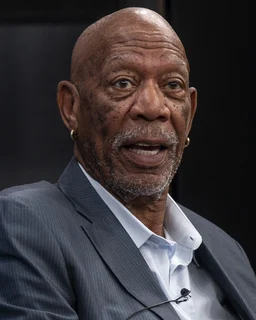
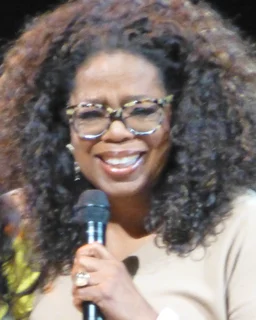
Hear five synthetic impressions, all speaking English. Made locally from short public-source reference clips. These are demonstrations, not real recordings or endorsements.

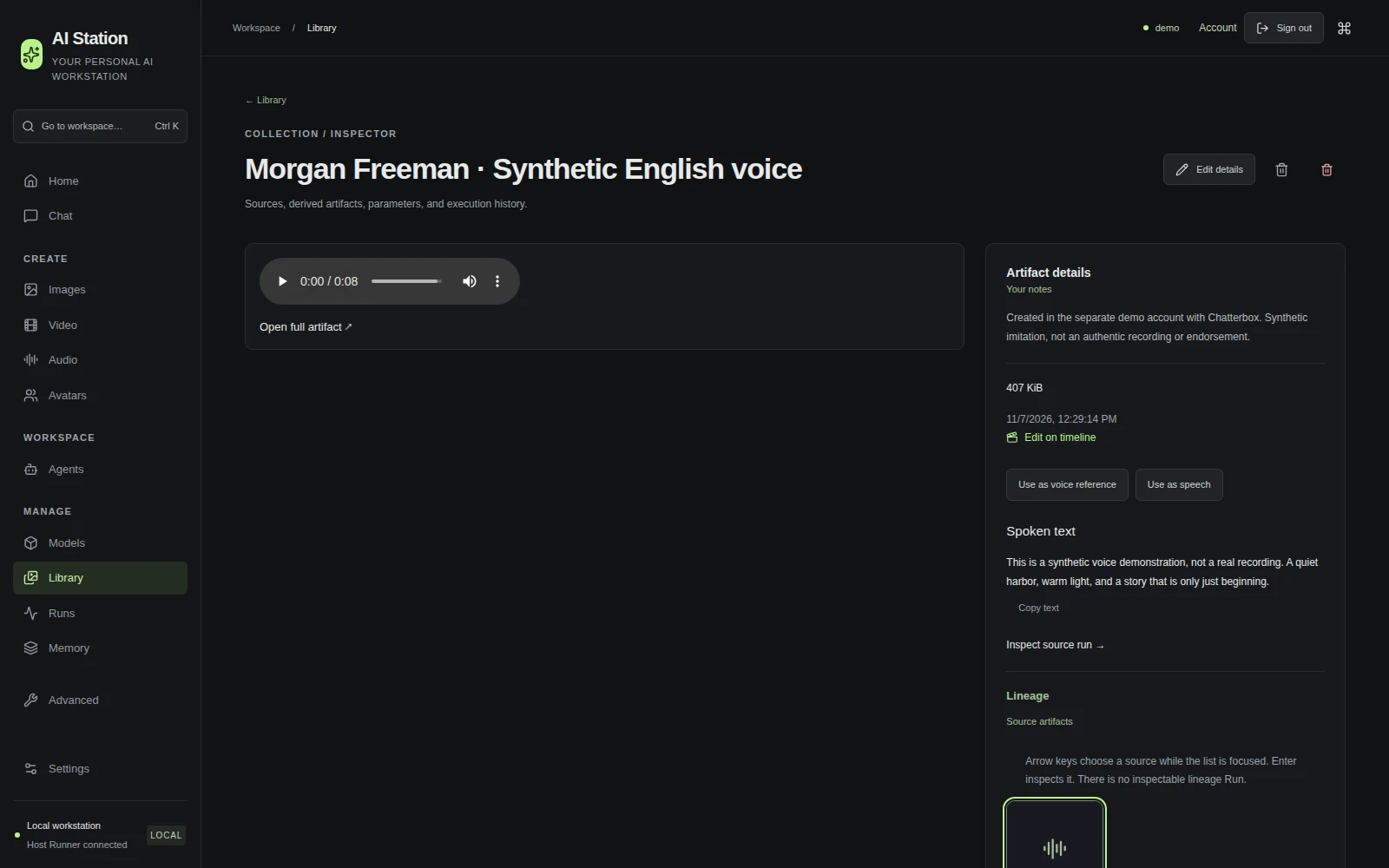
Morgan Freeman
AI VOICE DEMO

Morgan Freeman

Synthetic imitation · English

Sources & credits

BBC · Film Programme · 2008. CC BY 3.0; short reference excerpt, converted to mono PCM. The output is newly generated speech. No subject authorization or endorsement is implied.

Portrait: U.S. Department of Defense / Petty Officer 1st Class Alexander Kubitza, 2 August 2023. Public domain. Cropped, resized and converted to WebP; this portrait retains its source license, independently of the site license.

See the actual result & spoken text in AI Station ↗

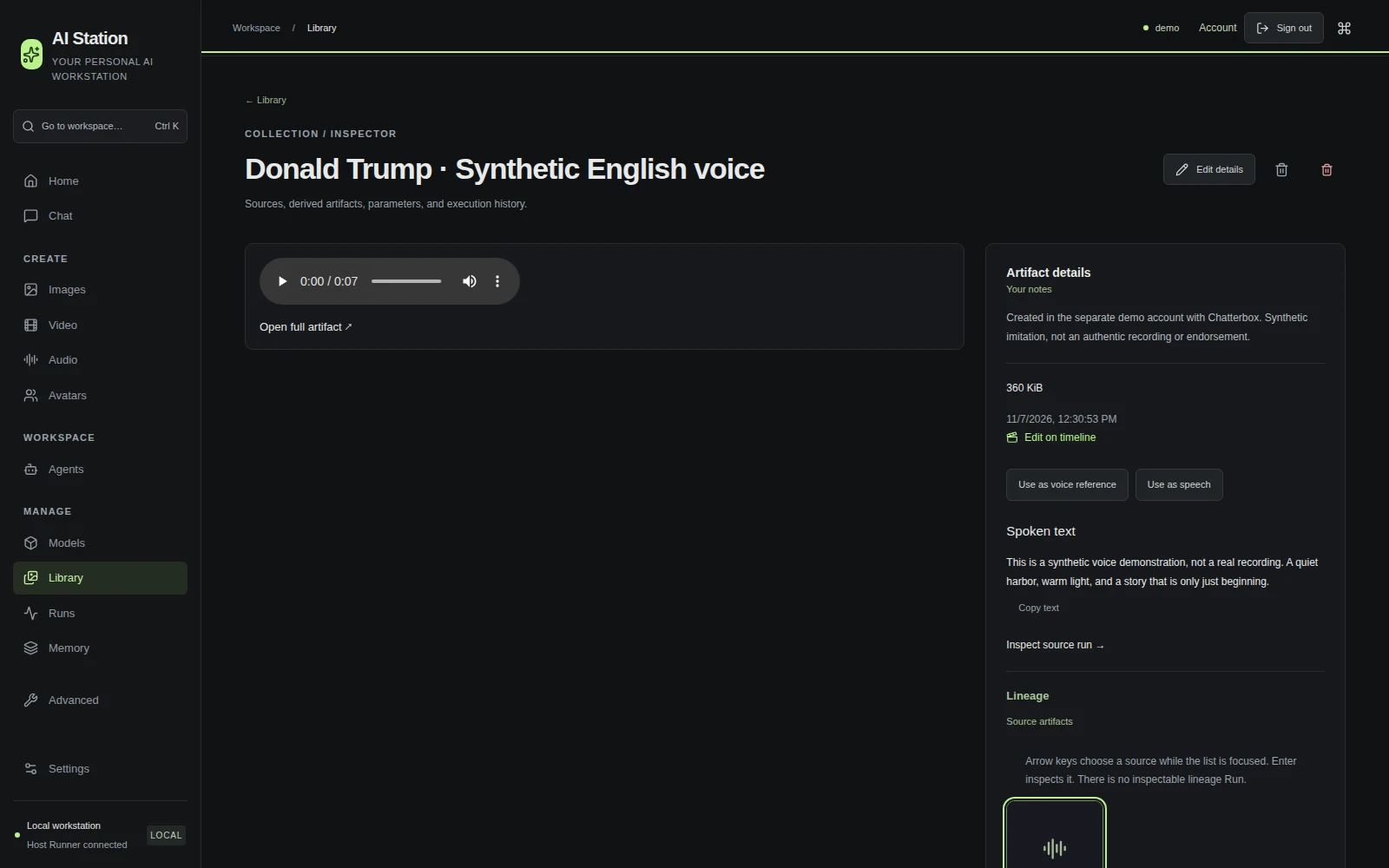
Donald Trump
AI VOICE DEMO

Donald Trump

Synthetic imitation · English

Sources & credits

White House · 2016. Public-domain US government recording; short reference excerpt. The output is newly generated speech. No subject authorization or endorsement is implied.

Portrait: The White House / Daniel Torok, 2 June 2025. Public domain. Cropped, resized and converted to WebP; this portrait retains its source license, independently of the site license.

See the actual result & spoken text in AI Station ↗

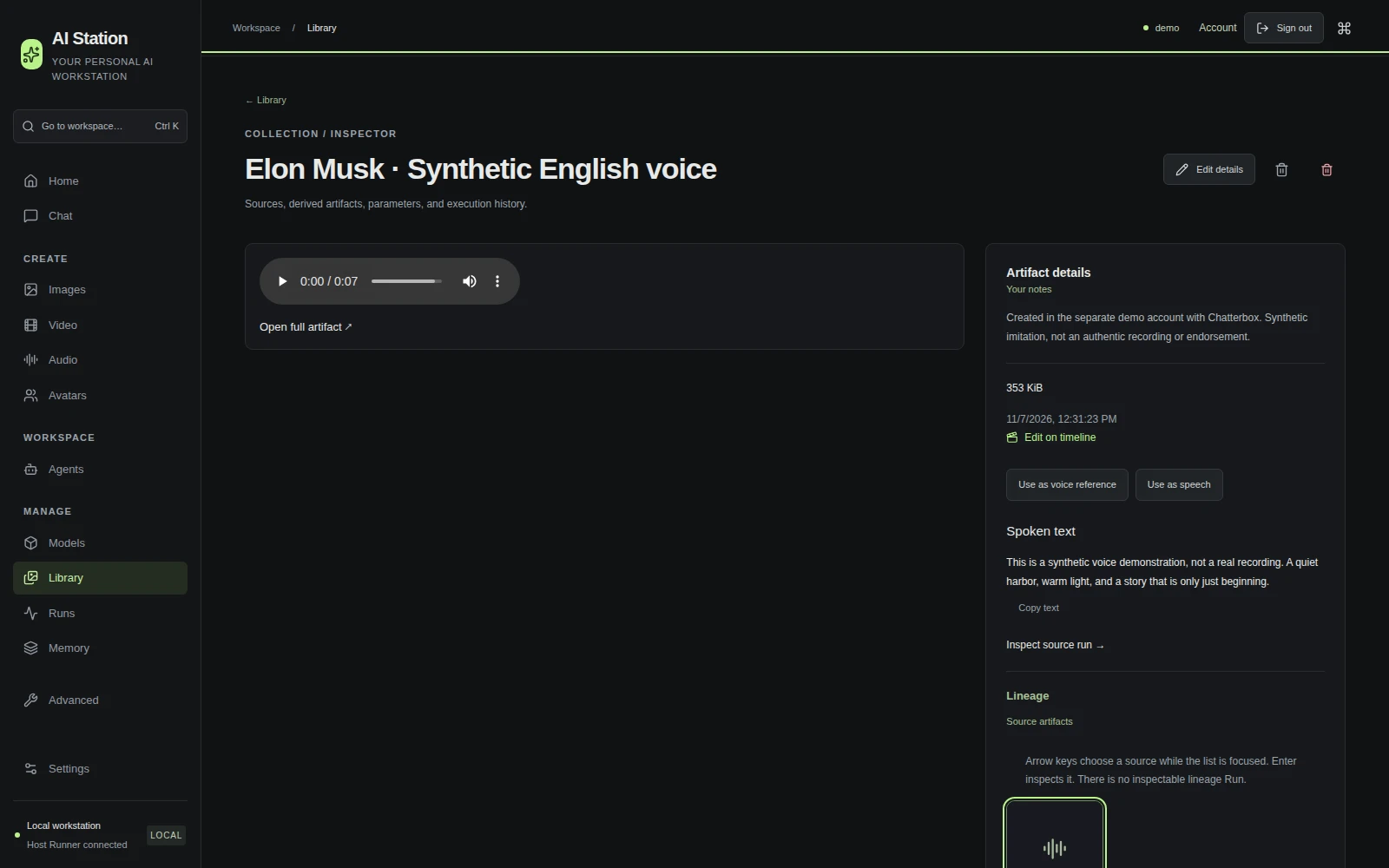
Elon Musk
AI VOICE DEMO

Elon Musk

Synthetic imitation · English

Sources & credits

NASA / Chris Chamberland · 2021. NASA source acknowledgment; short reference excerpt. No NASA endorsement. The output is newly generated speech. No subject authorization or endorsement is implied.

Portrait: The Royal Society / Debbie Rowe, 13 July 2018. CC BY-SA 3.0. Cropped, resized and converted to WebP; this portrait retains its source license, independently of the site license.

See the actual result & spoken text in AI Station ↗

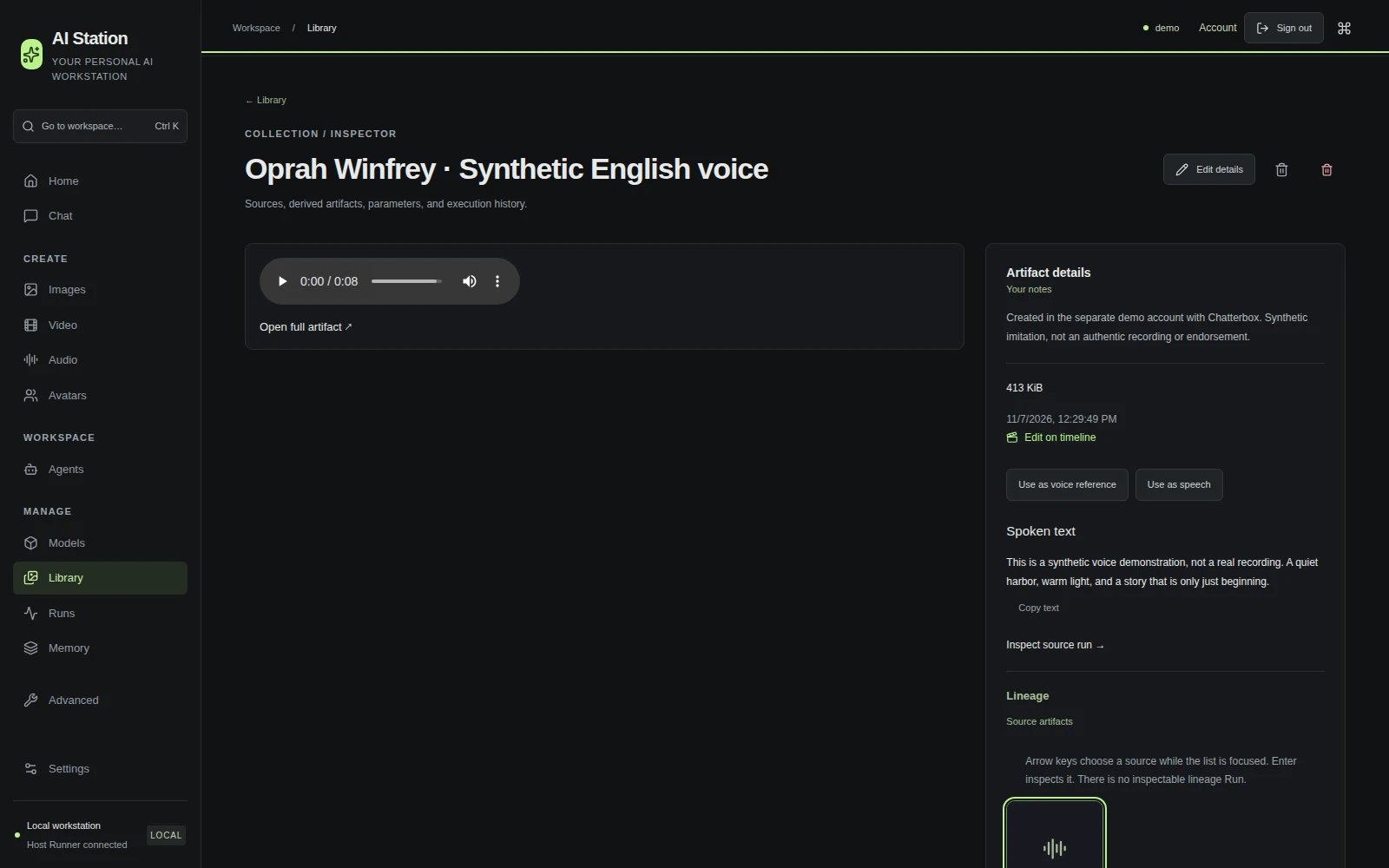
Oprah Winfrey
AI VOICE DEMO

Oprah Winfrey

Synthetic imitation · English

Sources & credits

White House · United State of Women · 2016. Public-domain US government recording; short reference excerpt. The output is newly generated speech. No subject authorization or endorsement is implied.

Portrait: aphrodite-in-nyc, 25 October 2014. CC BY 2.0. Cropped, resized and converted to WebP; this portrait retains its source license, independently of the site license.

See the actual result & spoken text in AI Station ↗

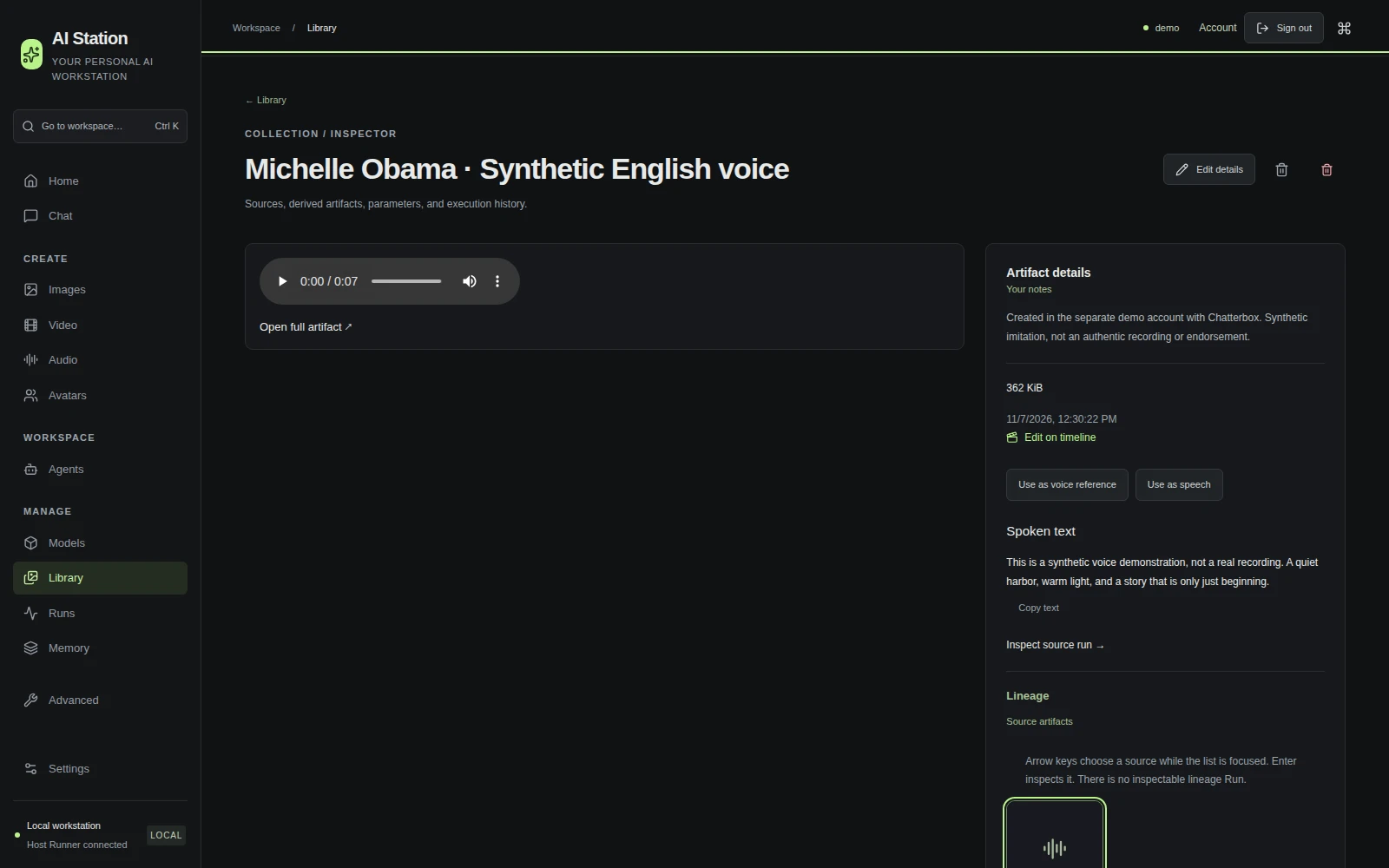
Michelle Obama
AI VOICE DEMO

Michelle Obama

Synthetic imitation · English

Sources & credits

White House · United State of Women · 2016. Public-domain US government recording; short reference excerpt. The output is newly generated speech. No subject authorization or endorsement is implied.

Portrait: The White House / Joyce N. Boghosian, 18 February 2009. Public domain. Cropped, resized and converted to WebP; this portrait retains its source license, independently of the site license.

See the actual result & spoken text in AI Station ↗

Read the shared spoken text

This is a synthetic voice demonstration, not a real recording. A quiet harbor, warm light, and a story that is only just beginning.

FROM AN IDEA TO A SOUNDTRACK

Find your sound.
Make it your own.

Write a mood, a genre or your own lyrics. These two original 45-second examples were made locally in AI Station — one cinematic, one electronic.

Cinematic instrumental

First Light

Felt piano, warm strings and a slow sunrise.

ACE-Step 1.5 Turbo45 secondsLocal generation

Prompt & settings

Cinematic ambient instrumental, intimate felt piano melody, warm swelling strings, delicate analog pads, subtle organic percussion. Evocative sunrise atmosphere, spacious detailed stereo production, gentle dynamic build to a beautiful resolved ending. No vocals, no speech.

Instrumental · no supplied lyrics or voice reference.

Seed 732041 · full, uncut stereo output, exported as a 320 kbps MP3. Generated in the separate demo account. No existing song or artist recording was supplied.

Synthpop · English vocal

Little Signals

Bright synths, a driving beat and a synthetic English vocal.

ACE-Step 1.5 Turbo45 secondsLocal generation

Prompt & supplied lyrics

Energetic instrumental synthwave, driving electronic drums, warm analog synthesizer chords, sparkling melodic arpeggios, deep rounded bass, retro-futuristic night-drive atmosphere, polished wide stereo production, 124 BPM. Strong memorable instrumental hook, rhythmic build, clean resolved ending. No vocals, no speech.

Supplied lyrics

[Verse] Windows open to the light Quiet sparks across the night Every thought can find a way Turn the dark into the day [Chorus] We make a little signal Let it travel through the room A thousand small beginnings And a sky about to bloom

Seed 732042 · full, uncut stereo output, exported as a 320 kbps MP3. Generated in the separate demo account. No existing song or artist recording was supplied.

AUTONOMOUS AGENTS. ON YOUR TERMS.

One prompt.
Your own agent.

Describe what you want done and how often. AI Station turns your request into an agent draft with instructions, tools and a schedule. Review it, enable it, and let it get to work — on your machine.

Create on repeat

Example instruction

“Every morning, create a new product photo using these references, with a different setting each time.”

Fresh images, campaign concepts and regular creative work.

Make social content

Example instruction

“Every Monday, generate a short video for my next social post, using this image.”

Clips for your content calendar. Direct social publishing integrations are planned.

Follow what matters

Example instruction

“Each morning, research my stock watchlist and give me a short report with a chart.”

Research, public information and a regular brief you can return to.

Handle the routine

Example instruction

“Every Friday, analyze this spreadsheet and summarize the changes in a report.”

File analysis and recurring jobs, with local Python when the work needs code.

  1. 01Describe the job

    Say what you need, in your own words. Add files or references when useful.

  2. 02Review and enable

    Check the proposed tools, access and schedule. You decide when it starts.

  3. 03Come back to results

    Let it work on schedule. Inspect the output, follow its history or pause it.

ONE EXAMPLE. REAL OUTPUT.

An agent that follows your watchlist.

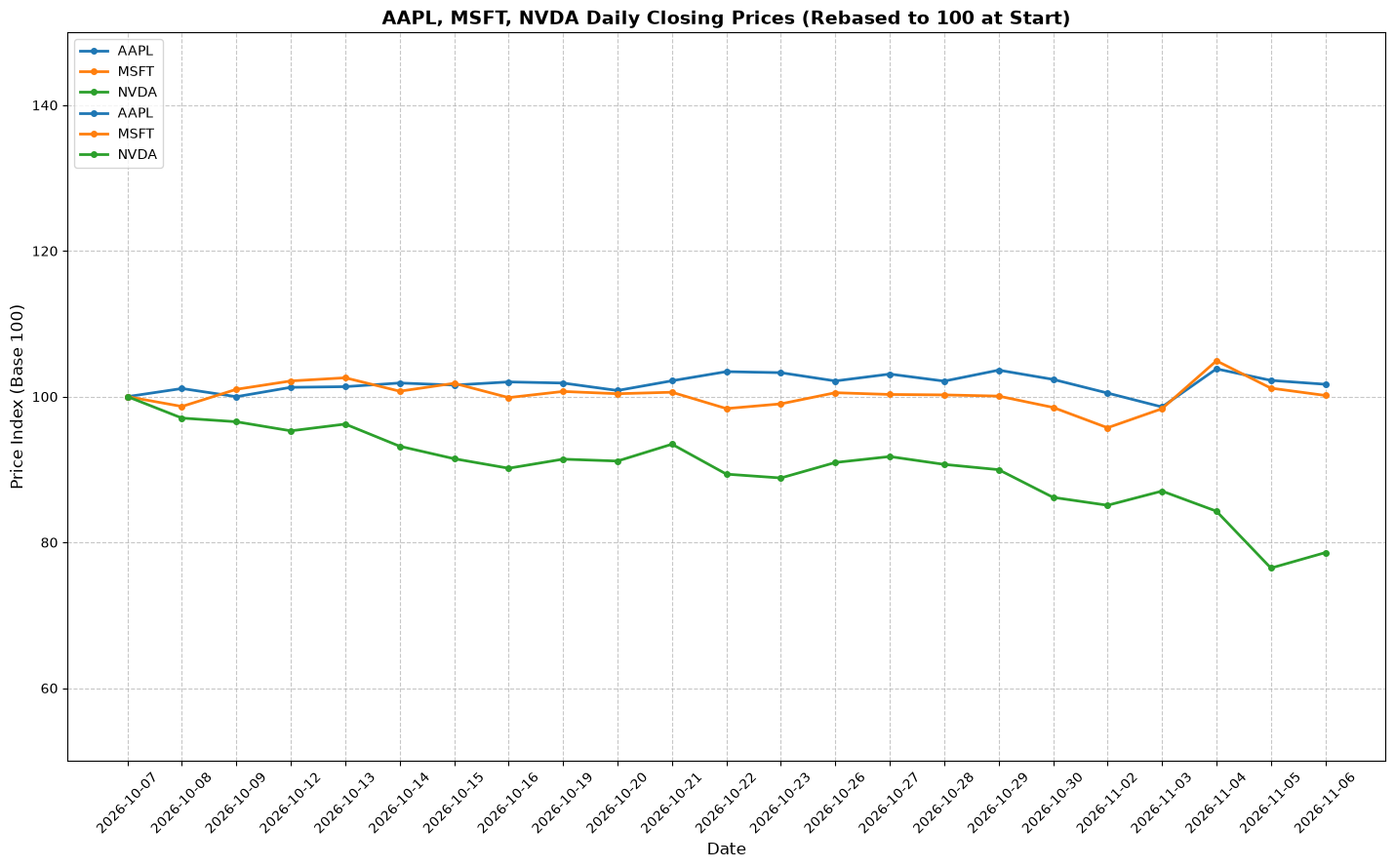
This configured agent reads public Apple, Microsoft and NVIDIA prices, runs local analysis, and leaves a brief, a chart and the numbers behind them. The same agent workspace supports other jobs; this is one recorded example.

Market LensDaily research brief · local AI + Python

A recorded example · closing data, 6 November 2026

Actual report values · USD close and last-session change
Company Close Session
Apple AAPL $342.37 −0.52%
Microsoft MSFT $530.61 −0.99%
NVIDIA NVDA $186.64 +2.78%
“Watch for stabilization or further downside.”NVIDIA · actual report watch item after a −21.40% observed-window move
Actual agent-generated AAPL, MSFT and NVDA closing-price chart, rebased to 100 over 23 common trading dates
Original agent output. 7 October–6 November 2026 · 23 common trading dates · Yahoo Finance.
Schedule, source and verification

This is one verified execution of a configured persistent agent, with its daily trigger set to 07:00 Europe/Warsaw and paused after the demonstration. It is not a live price feed or a claim of repeated daily execution. Local Qwen via llama.cpp generated the analysis; the exported prices and percentage changes were checked against the same captured Yahoo Finance responses. Earlier unsuccessful experiments remain in the application's history.

The brief is a general, price-based research watchlist. Its conditional watch items do not establish why prices changed. No trade was placed and no email was sent.

Inspect the original chart in Library

YOUR COMPUTER. YOUR CREATIVE CHOICES.

Local models.
No extra platform filter.

Use compatible uncensored models for adult/NSFW creation, too. AI Station adds no separate content filter to local generation. Models have their own behavior and licenses; the public examples here stay safe for work.

LESS SWITCHING. MORE MAKING.

An entire AI workflow.
All in one place.

Go from the first question to the final file.
Everything has a place. Everything leaves a trail.

01 / THINK

A conversation
with possibilities.

Choose a local model. Bring your files, search the web when you need it, or ask the assistant to turn an idea into a workflow.

Local LLMsDocumentsWeb tools
02 / CREATE

Give your ideas
some dimensions.

Images, edits, short films, talking portraits, speech and music. Find and reuse references from your private Library, with larger image previews and stills from your films.

Images & videoVoice & music
03 / AUTOMATE

Put an idea
on a schedule.

Describe a recurring task in chat. Review its model, tools and schedule, then enable it right there. Pause or remove agents when you no longer need them.

AgentsPython toolsSchedules

NEW IN v0.5.0

Your next model.
Checked for your station.

Local AI keeps moving. Add compatible new models after setup,
without guessing what your hardware can handle.

01 / DISCOVER

Choose what
you want to create.

Find models for conversation, images, video, voice, music, avatars or memory. Browse popular or recently updated sources, search by name, or paste a Hugging Face link.

02 / CHECK THE FIT

Your hardware.
An informed choice.

Check each GPU, conversation context, RAM, disk and companion files before downloading weights. Unknown requirements and unsupported model families stay clearly marked.

03 / MAKE IT YOURS

Review once.
Create in your workspace.

Review the files and license, install compatible models and select them in their workspaces and supported assistant or agent settings. New revisions never replace your choices silently.

See what's changed in 0.5.0

OWN THE WORKSPACE

Your machine.
Your models.
Your rules.

AI should feel personal.
So should the computer it runs on.

Explore model support

Local is a first-class choice.

Use your own GPU and compatible model weights, including uncensored models. Configured local inference needs no cloud AI account.

Every action has a trail.

Inspect the model, execution target, permissions, logs and output files. Cancel owned Runs, pause scheduled agents and keep a history you can return to.

Cloud when you choose it.

Your local workflows stay local. External inference is opt-in; web search, downloads and private remote access use the network.

FROM THE REFERENCE WORKSTATION

Real hardware.
Actual results.

THE TEST STATION2 × RTX 3060 · 12 GB eachIntel i7-6900K · 32 GB RAM
IMAGE GENERATION

100s

LUSTIFY · 768 × 1024
Q4_0 · 8 steps

4-SECOND FILM

7m 58s

Wan · 1280 × 704
Two shots on separate GPUs

LOCAL CHAT

16.9 tok/s

RVN 27B · Q4_K_M
One observed completion

60-SECOND AVATAR

48m 18s

EchoMimic · 384 px
Includes speech and assembly

Recorded on one workstation, with specific models and presets. Results vary with hardware, settings and workload; these are not universal speed or quality guarantees.

Settings & full methodology
FOR THE CURIOUSYour workstation, made transparent.

The Docker control plane keeps the interface, history and orchestration together. A native user-level Host Runner handles typed host operations over a private Unix socket.

Your intentTask / RunLocal executionEvents / Artifacts
Read the architecture
LINUX & WINDOWS · v0.5.0

Download.
Install. Create.

You bring the hardware. We're building a simple path from installing the app to your first conversation, without terminal commands or model-server configuration.

v0.5.0 offers desktop packages for Ubuntu 24.04 x86-64 and Windows 10 (21H2/22H2) or 11 x64, with guided account and model setup. Windows 10 installation, login and worker execution were tested without a GPU; local-model replies were tested on Windows 11. Physical Windows NVIDIA tests follow release. macOS is not supported yet. Windows 10 needs KB5020030 or newer; setup guides Windows Update and WSL preparation. Step-by-step installation guide →

Unsigned Windows installer. SmartScreen may show an unknown publisher; Smart App Control or managed policies may block it. Verify the official download and SHA256SUMS. Do not disable OS protections. Signing will follow in a later release.

THE EXPERIENCE WE'RE BUILDING

  1. Download one app

    A single place for your local AI tools.

  2. Follow a guided setup

    Your hardware is checked. Models that fit are suggested. You choose what you want to create.

  3. Start with an idea

    Ask a question, make something or put an agent to work. No AI expertise needed.

Advanced: manual Linux setup From the release branch
GET STARTED
# Get the release branch
git clone --branch master https://github.com/jahu/ai-station.git
cd ai-station
cp .env.example .env

# Prepare your workstation
./scripts/bootstrap.sh

# Set model/runtime paths in .env, then:
./scripts/start.sh
Your workspace → http://127.0.0.1:8765

A FEW GOOD QUESTIONS

Before you
plug in.

Still curious?
Join the conversation

Does everything run locally?

Configured local LLM and media workflows run on your workstation. You can choose external providers, and tools such as web search need network access. The website itself has no analytics, account signup or external font requests.

Can I use my own models?

Yes. Open Models → Find new models to search public Hugging Face sources or paste a model link. AI Station checks supported model families, hardware and required files before a reviewed download. Compatible runtimes and OpenAI-compatible endpoints remain available. Finding a model does not make every architecture supported; the result explains what fits and what needs a runtime. Read the model guide.

Do I need two GPUs?

No. The architecture discovers devices dynamically; the reference machine has two RTX 3060 cards, but that is not a requirement. Each workload must fit its runtime and hardware. Current exercised media paths use NVIDIA/CUDA; broader GPU compatibility is a roadmap goal.

Is it ready for a nontechnical user?

That's who we're building it for. The goal is simple: download the app, follow the setup and start creating, without learning model servers or technical configuration. v0.5.0 packages Python and the app, guides required OS permissions and recommends models for your hardware. Model downloads still need storage and suitable RAM/VRAM. Windows CPU first use is tested; physical NVIDIA and human voice/film evaluation follow release. macOS is unsupported. Your feedback will help us make setup better. See qualification and known issues.

Is AI Station open source?

It is source-available under PolyForm Noncommercial 1.0.0. Permitted noncommercial use is free. Other commercial use requires a separate written license. Models and third-party components retain their own terms. Commercial licensing details.

Can I contribute?

Yes — and testing is one of the most useful ways to help. Report a bug, tell us what felt confusing, improve the docs or suggest a feature. For code changes, contributors retain copyright and provide a signed agreement permitting commercial relicensing before merge. Start with the contribution guide.

INDEPENDENT INTELLIGENCE.

Make the machine
work for you.

Get AI Station

A look around AI Station

Actual interface, separate demo dataset. About these previews ↗

Workspace preview